[Feature] Ability to add parts #68
Assignees
 FrederikBaerentsen
Clear assignees
FrederikBaerentsen
No Assignees


Notifications
Due Date
No due date set.
Dependencies
No dependencies set.
Reference: FrederikBaerentsen/BrickTracker#68
Reference in New Issue
Block a user
Delete Branch "%!s()"
Deleting a branch is permanent. Although the deleted branch may continue to exist for a short time before it actually gets removed, it CANNOT be undone in most cases. Continue?
It seems like parts can only be added via sets. An independent part management would be nice.
For example, adding parts to different part collections.
I would also like this feature.
Ability to add partsto [Feature] Ability to add partsUp Vote for this feature - bulk parts inventory, IMO is just as important as set inventory and is just as march part of any Lego collection as sets are. I think there could be multiple ways to do it. One option could be to define a "user set (or MOC)" and then stick all spare parts within that "set". Another option could be to require a storage (or collection) to be defined for bulk parts and then they could just be added to the storage and inventoried that way.
Up Vote for this. I recently discovered BrickTracker and I am moving away from Rebrickable as this is much speedier while browsing. But I am missing parts...
I understand this is a big wish and I'll try to continue the work i started some some months ago on the
feature/partsbranch. This is a major feature though, as the logic for parts needs to be changed completely.This is what i have implemented on
feature/parts(months ago), and i can try and finish and port torelease/1.4. Any feedback or suggestions would be appreciated!The idea is to have a new add section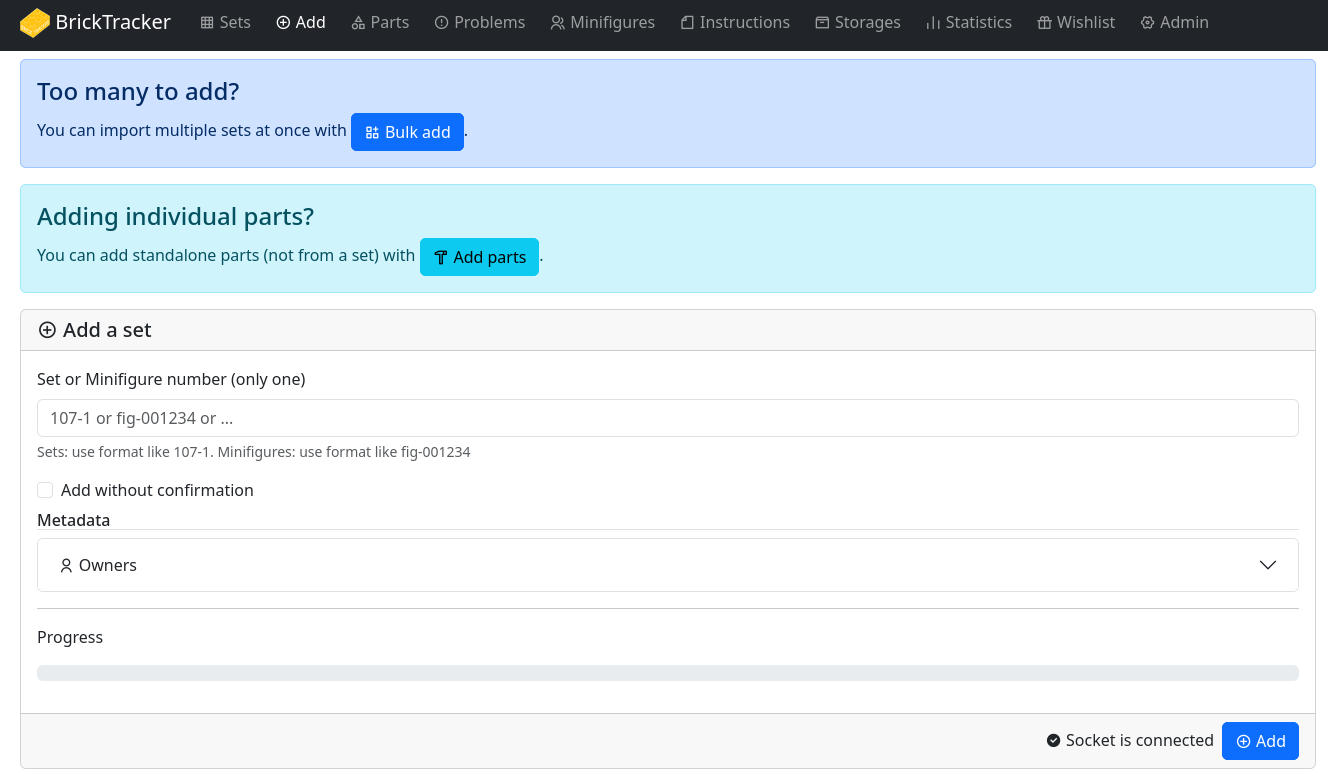
You can then add a single part and it will show up like this on its details page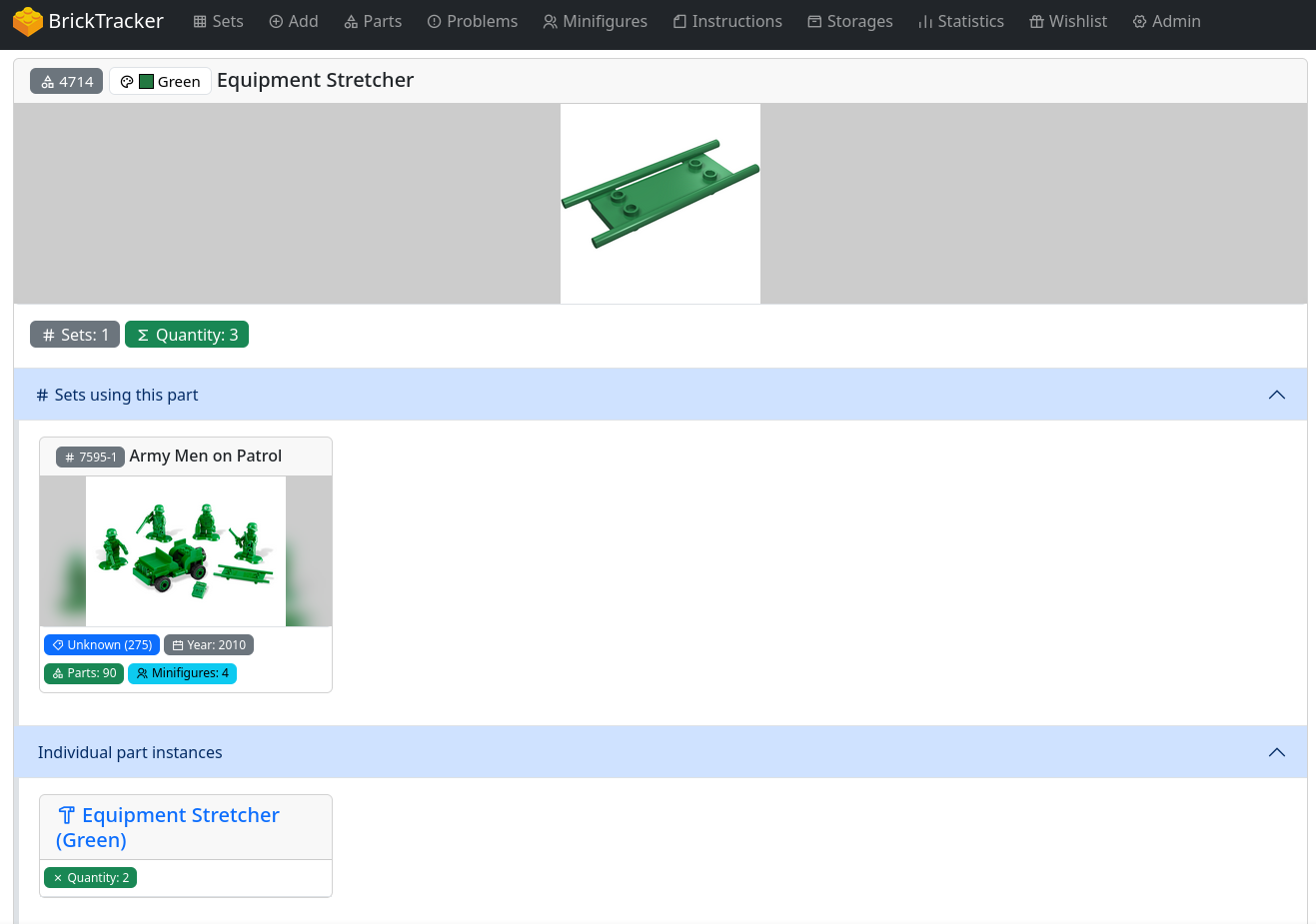
Or use a lot-mode where we can search for multiple parts and add them to a lot.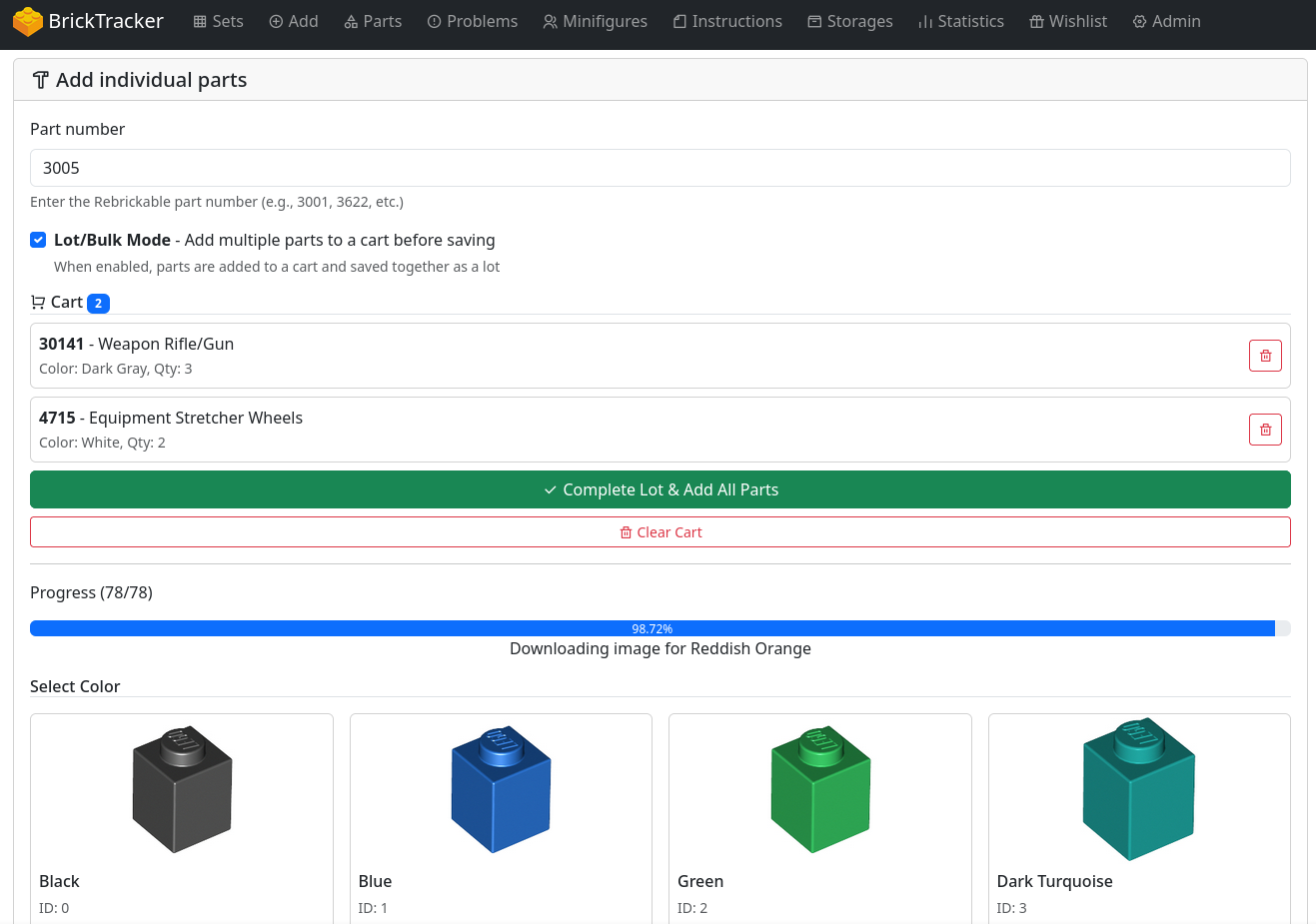
All colors of a part is downloaded and shown and you can add whichever color you want.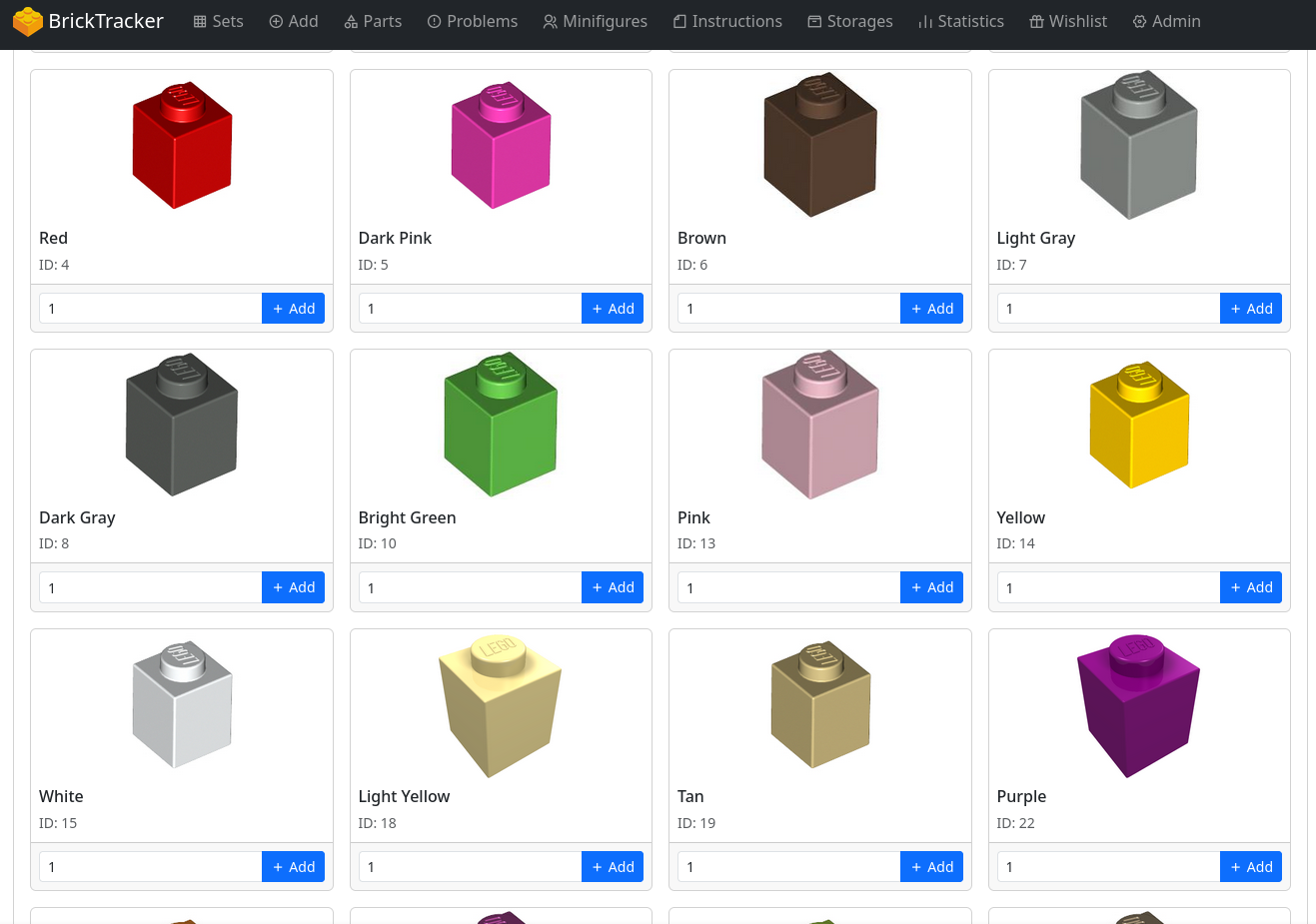
You can also search for a specific print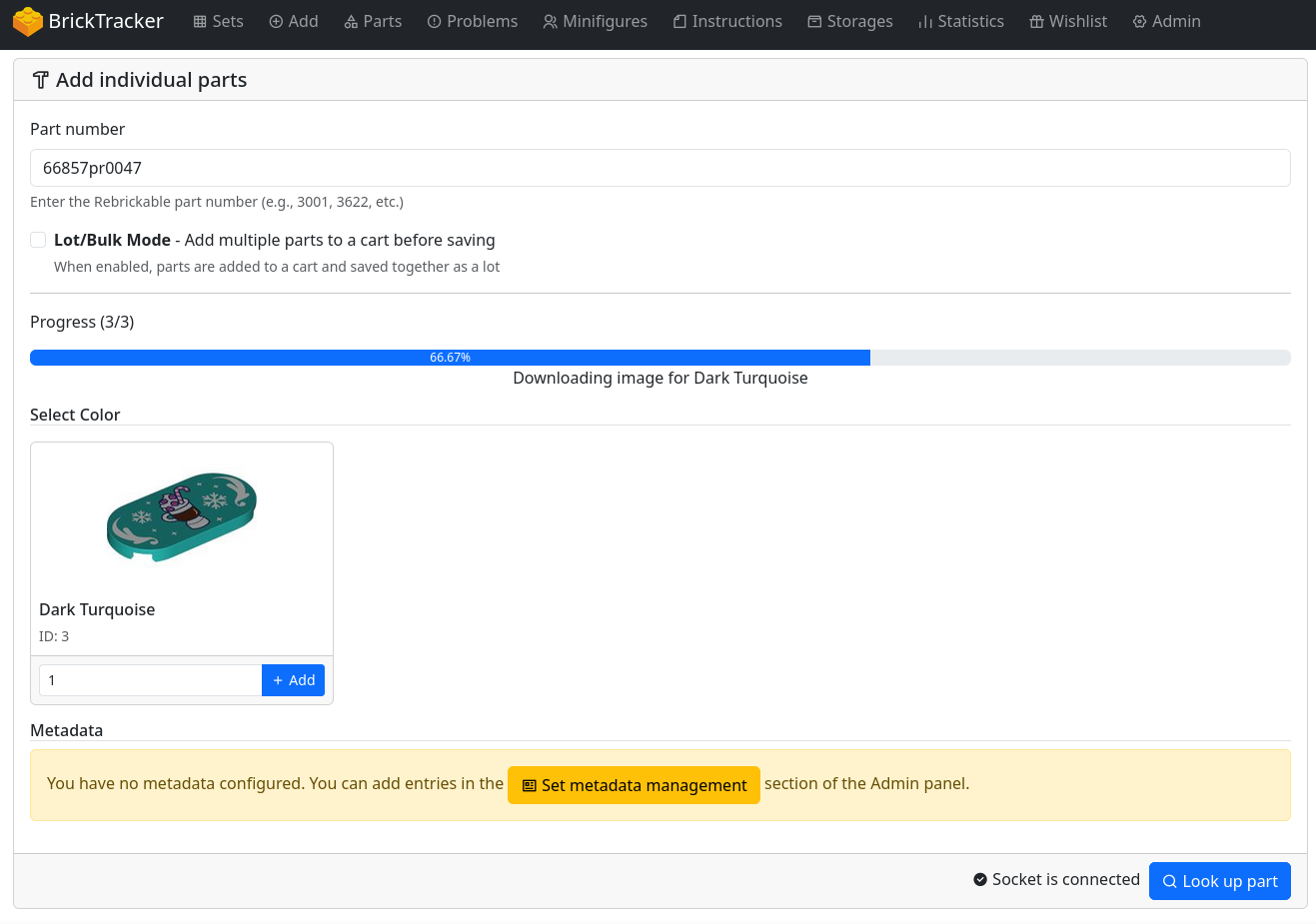
A lot (or single part) will show as this and have owner/purchase-info/storage/tags etc.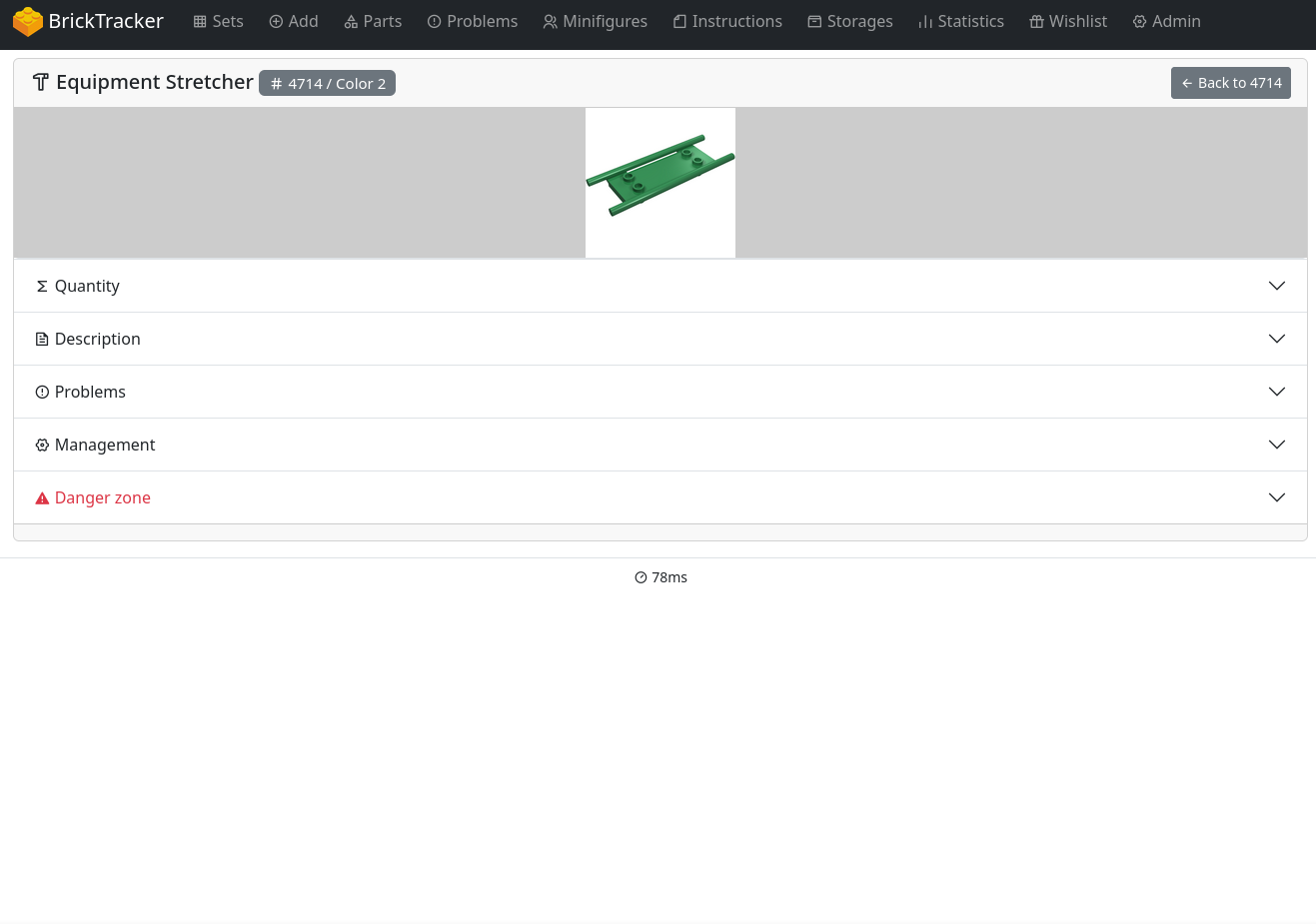
Minifigures would be added as a set (it checks if name starts with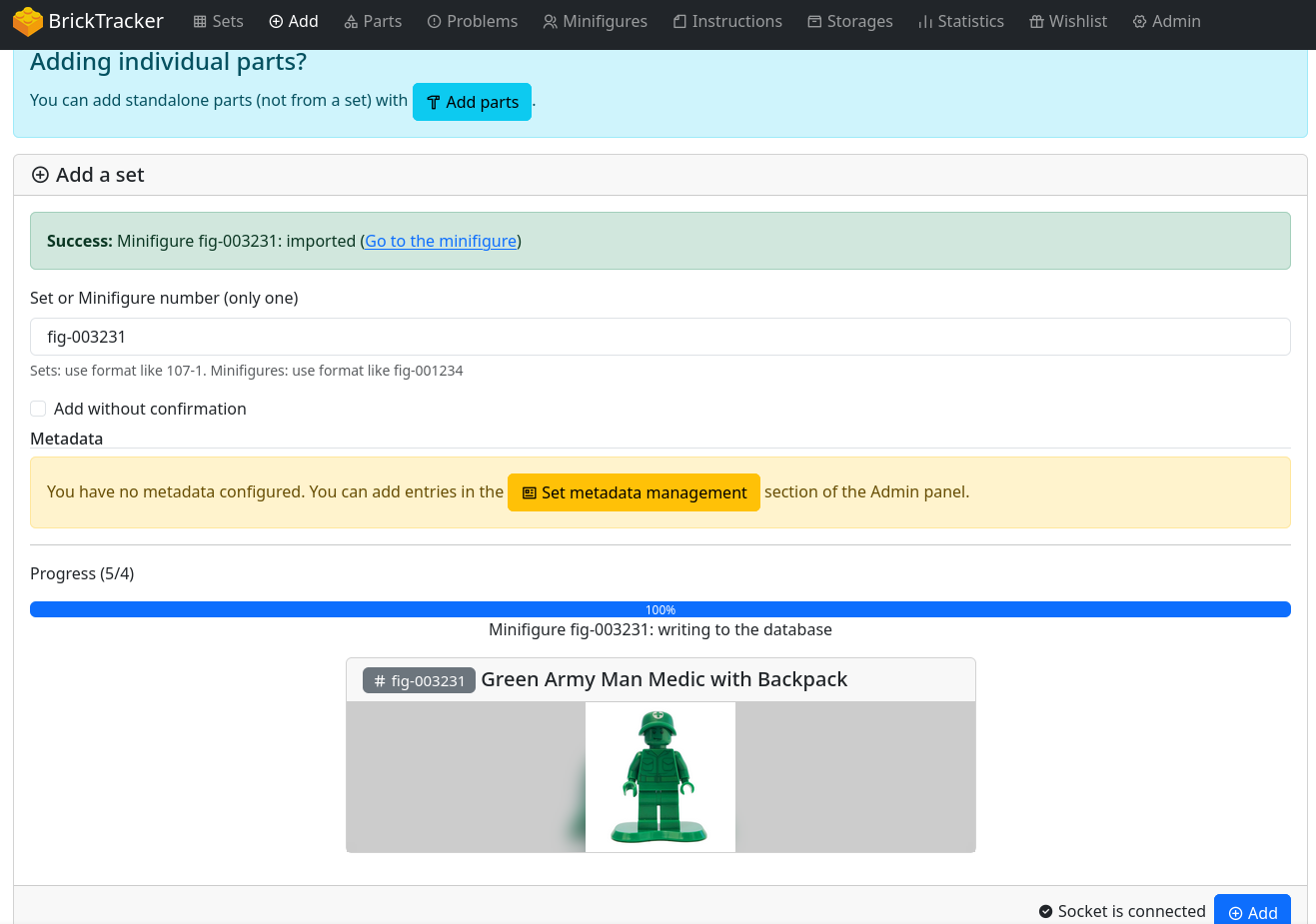 .
.
fig-, but this needs to be changed to something else after41e61a2f41). Only one can be added at a time, but i might see if bulk add can be implemented like for sets.Minifigures also show up as individual ones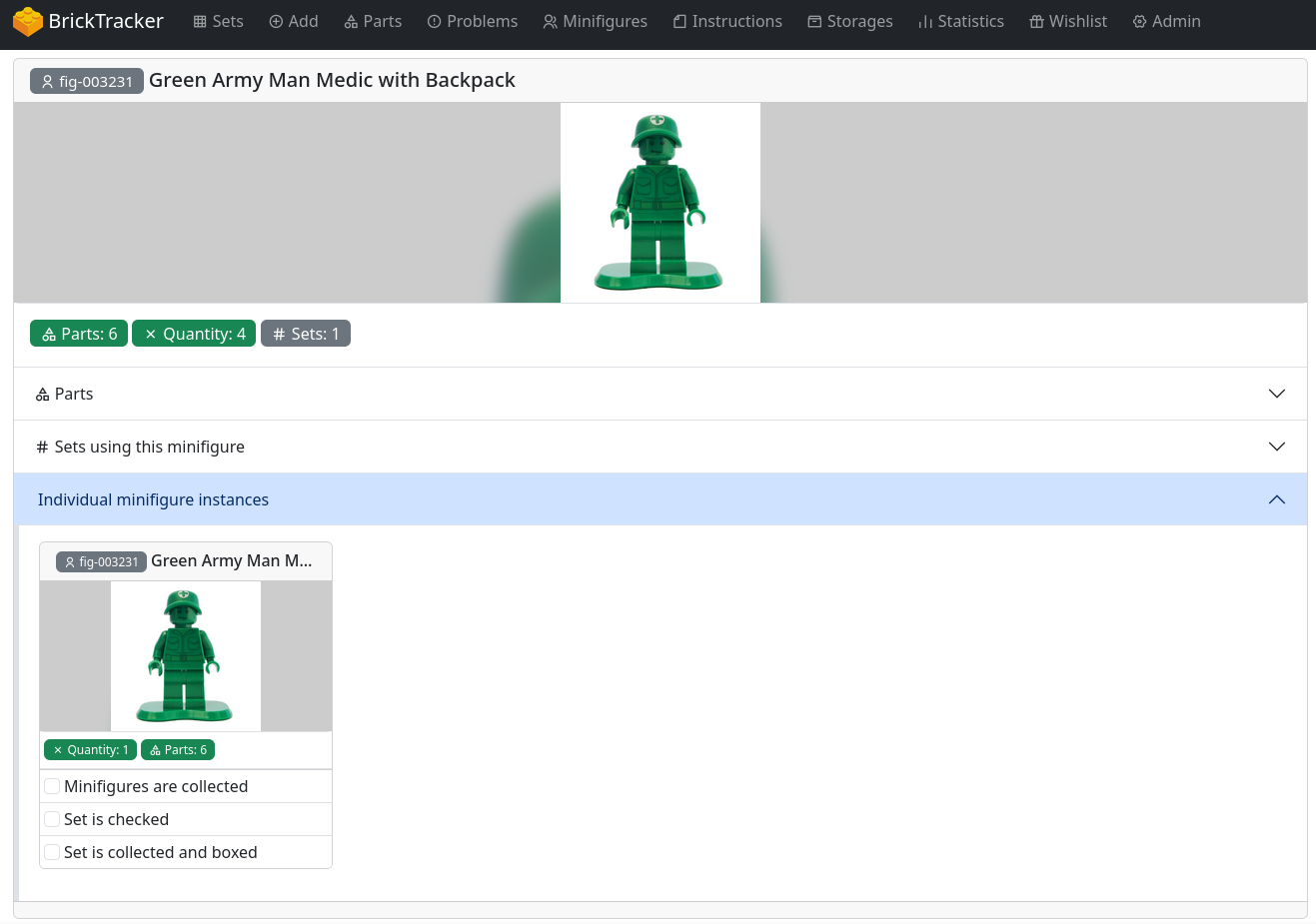 and also have their own metadata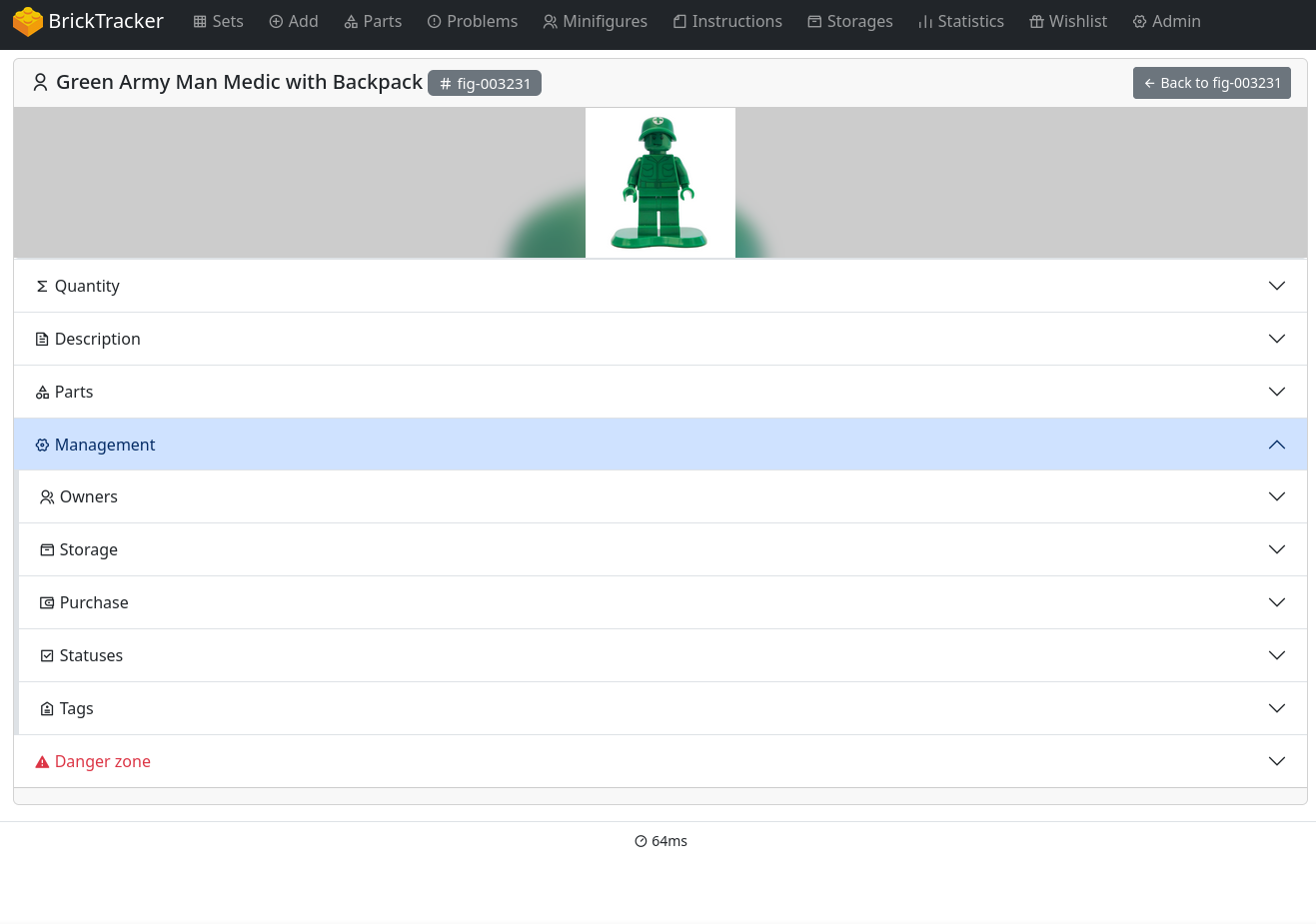
A lot cant be split after it's been added. It technically works as a set with a fixed inventory.
I've been working a lot over the last couple of days on this. As my Christmas break nears its end, I wont have as much time when i go back to work, so I wanted to implement as much functionality as possible.
This is the status so far:
Add
Adding a minifigure uses the same route (/add) as sets. The minifigure info it loaded and the you can confirm or dismiss.
Bulk Add
Bulk Add works with both sets and minifigures
Add Parts
Adding parts can be done 3 ways:
Single part number
This loads all available colors and you can add whichevery color you want in the quantity you want.
When the part is added. The add interface is reset and you can search and add a new part.
Lot/bulk-mode
You can search and add part as many times as you want. When you are done, you can add all the parts as a lot.
Rebrickable CSV upload
You can upload a CSV file from Rebrickable (or make your own using the standard format)
Uploading a CSV file enables lot/bulk-mode and you can manually search and add more parts to the lot or simply complete it and add the lot.
Parts
Individual parts (in a lot or as singles) will be shown in the Parts table. Here we can see if a part is in a set or not.
A new button to only show individual parts (eg. parts not in a set, but in a lot or as singles) in the parts list.
Part Details
New fold out accordions for:
Parts overview
Theres a new route /individual-parts for all the individual parts
This will most likely be redesigned or removed, as we can filter in the normal parts list now. But I created this months ago, when i first started the feature.
Theres a new route /individual-parts/lot/ for all the lots.
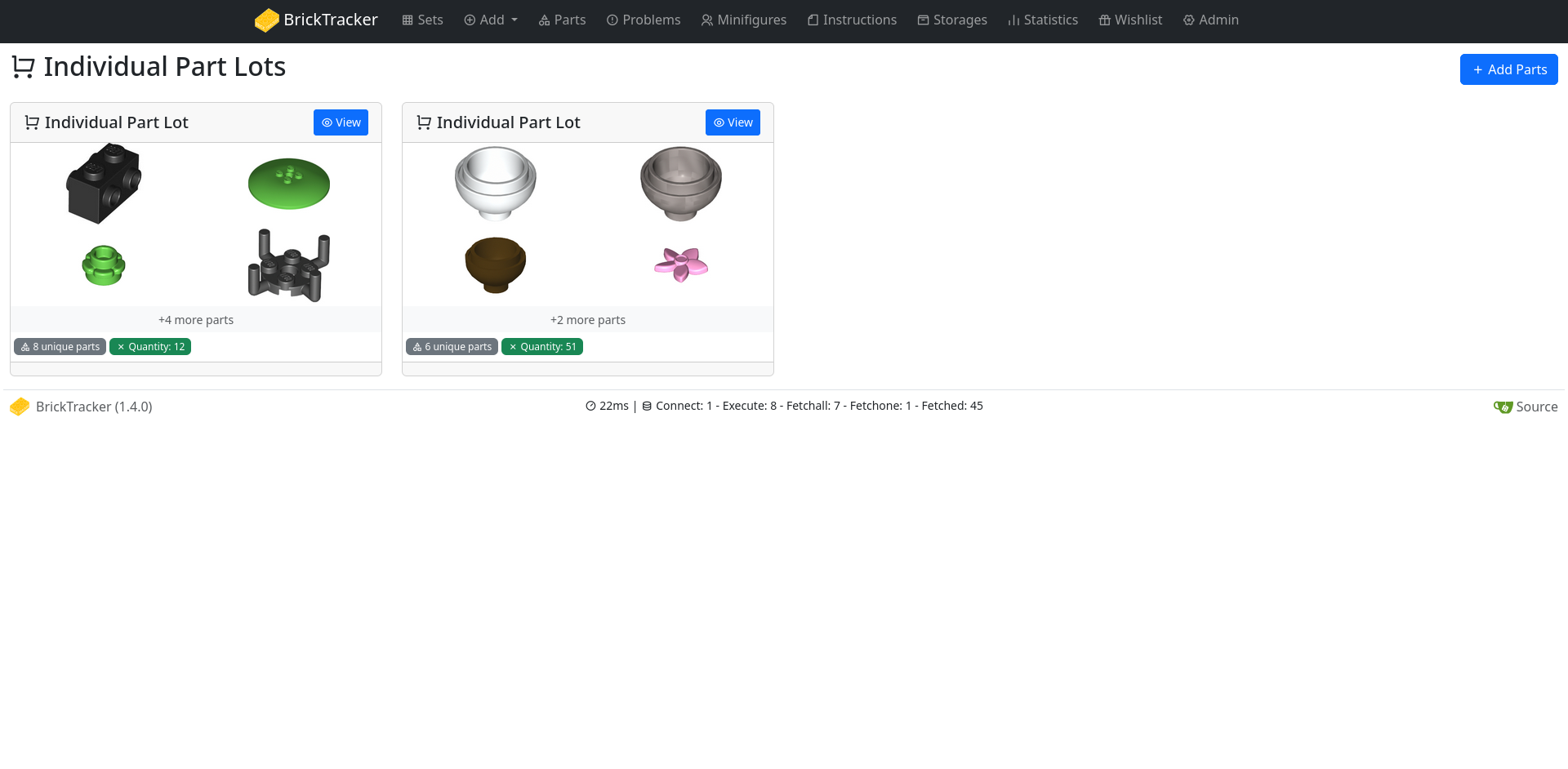
I want to add the same style and feature to as /sets. Could be i remove it too. I'm not sure how useful it is, as you can go to a specific lot from the parts details page.
Metadata
Lots and Individual parts have the same metadata as sets.
Lots also have a title field, that changes the title of the lot everywhere.
Lots works as sets, with a part list and it is possible to mark as damaged/missing/checked and the info will show up on /parts/problem as normals sets does.
It is not possible to delete a part from a lot instance. But the whole instance can be deleted.
Minifigures
Minifigures works much the same way. We can see them in /minifigures and see the quantity and how many sets they are in.
We can also filter on just individual minifigures.
The details page shows individual lots.
The individual minifigure has all the metadata as sets.
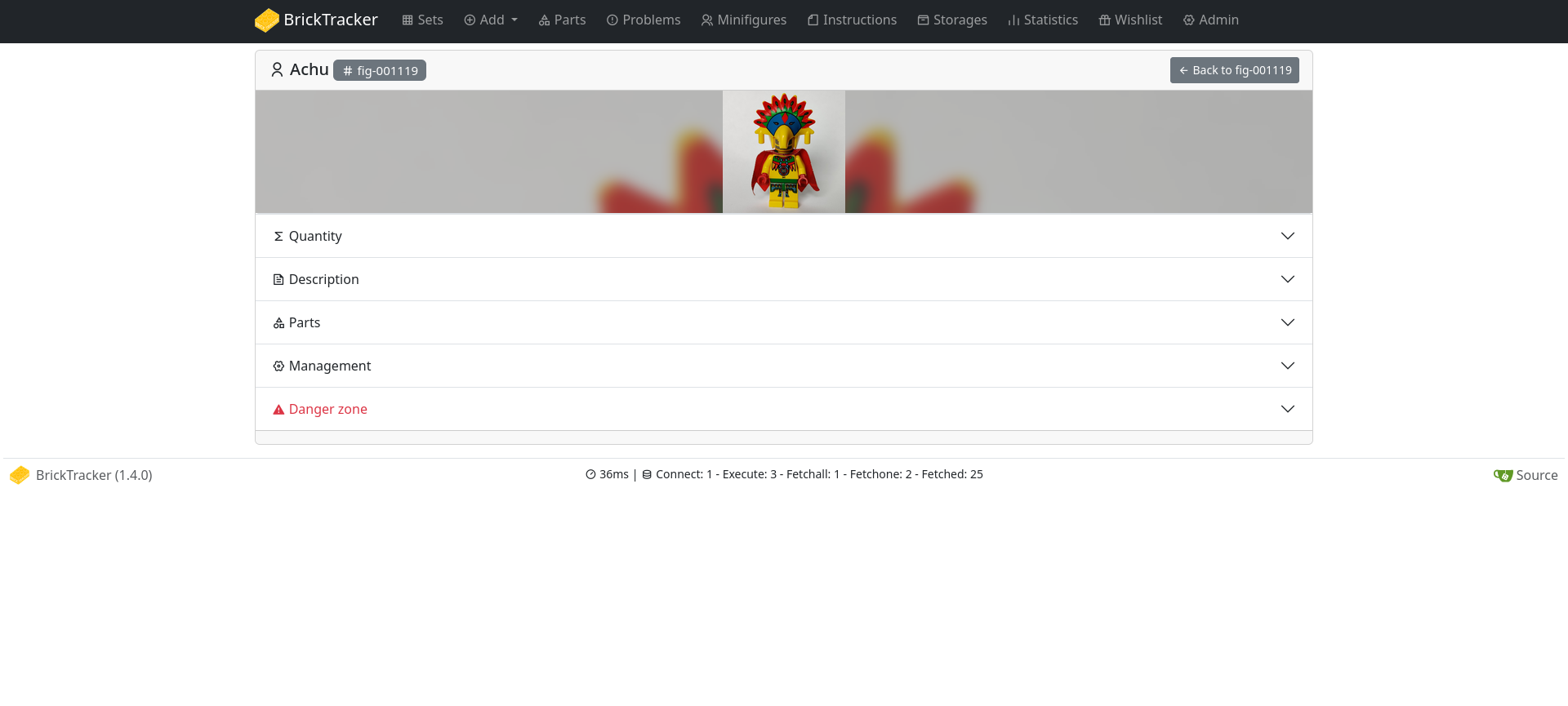
Missing functionality
Any feedback is appreciated!
This is really great, thank you!
One thing I think might be really useful would be the ability to add individual parts directly from a set's part inventory; not to add them to the set's contents, but as a shortcut for identifying the part and adding X number of them to the general parts inventory. Similarly, being able to update the quantity of parts from the parts view would also be really helpful.
The general idea in my mind, is to minimize the number of cases in which I have to look up a part number; I think for the vast majority of my own lego collection, the individual parts I've got aren't anything I didn't already also have as part of a set.
Also, for the bulk add, would it be possible to bulk add individual parts without making them part of a lot?
@commenter
Something like this, where a set has an extra column (can be turned on/off)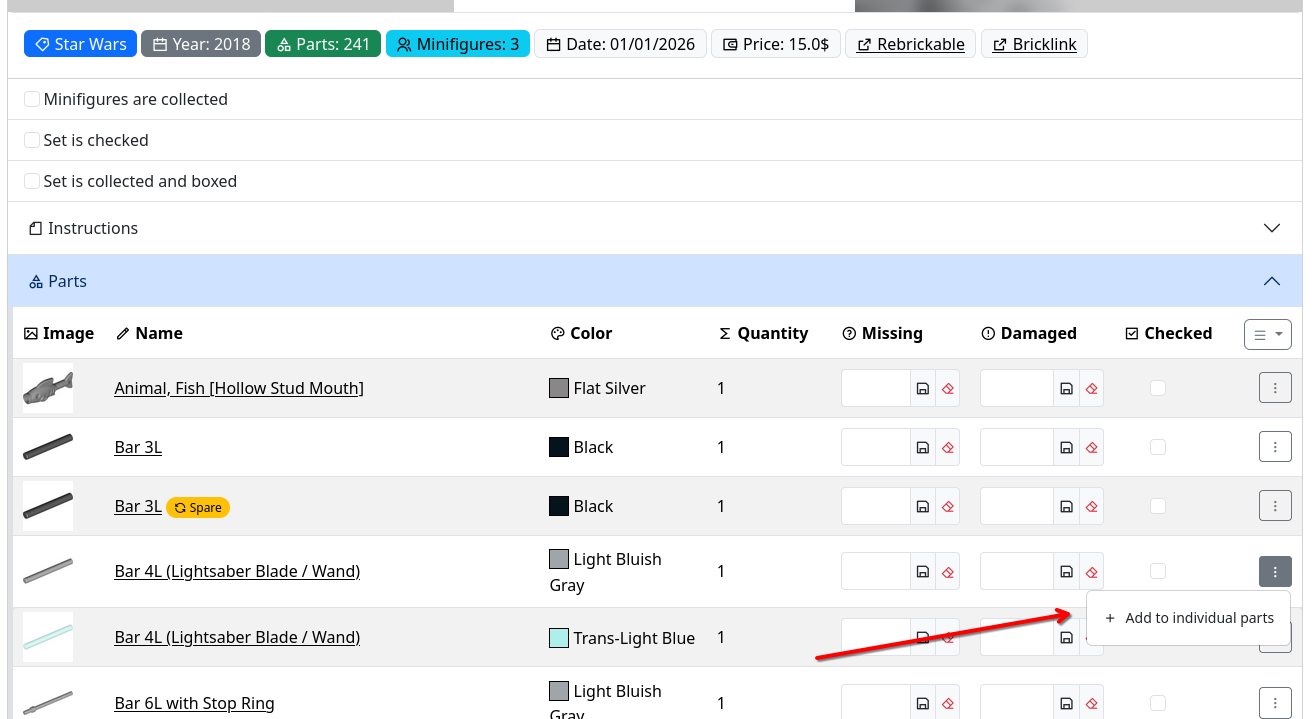
And it will give a popup where you can add that part?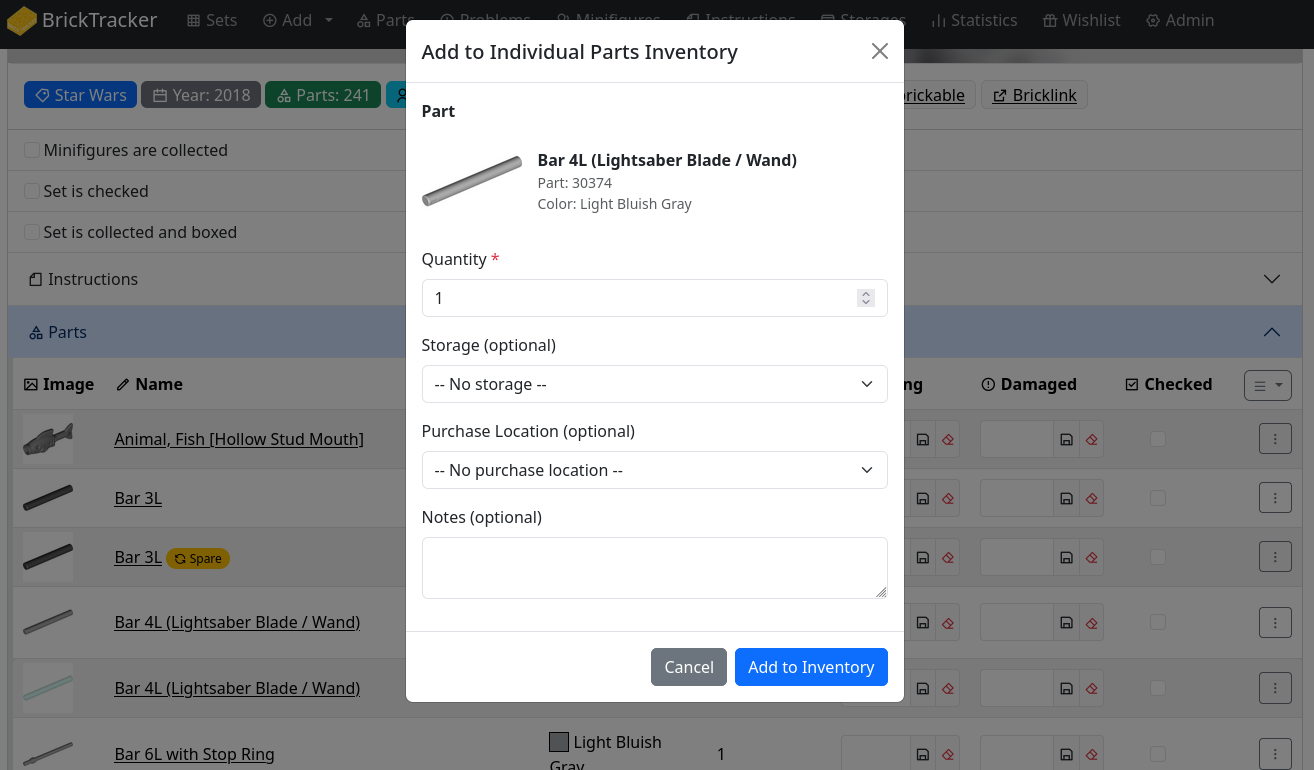
This doesn't call the API, as we already have the part info. But it doesn't support adding a different color.
Looking at bulk add for individual parts not in a lot next.
I was thinking something more like the way damaged/missing parts are added, but what you're showing is great, too.
Totally reasonable that this wouldn't work for adding a part in a different color.
The issue with using the same style as damaged/missing parts is that those are just flags (boolean columns) in the row of the part belonging to that specific set. We can't simply flag a part as "now an individual part" because individual parts are fundamentally different entities that need their own records. When you mark a part as damaged or missing, you're updating a field in the
bricktracker_partstable for that specific set instance.But when you add a part to your individual parts collection, we need to:
bricktracker_individual_partstableHere's how the database relationships differ:
Set Parts:
Individual Parts:
As you can see,
bricktracker_partsrows are children of a specific set instance, whilebricktracker_individual_partsare independent entities with their own lifecycle. That's why we need a dedicated interface to create them rather than just toggling a flag.I totally understand if you'd prefer a one-click approach, but would the current implementation work for you? Alternatively, I could add a second option to quick add a single quantity individual part with no storage or purchase information, and then you can add metadata and quantity later?
I think what you've got already is good. I appreciate the deep dive into the schema as way of explaining why what I was thinking of wouldn't be feasible.
Version 1.4 with individual parts, lots and minifigures is now available for testing using the Docker tag
pre-1.4!To test this release, update your compose file with the new tag.
Backup Your Database Before Upgrading!
This release includes database migrations (v20 -> v27) with NO automatic rollback capability.
It is recommended to make a copy of your install and test on that.
OR manually download a copy of your database from the admin page.
What's New in 1.4
Control visibility and functionality:
BK_HIDE_INDIVIDUAL_MINIFIGURES- Hide UI elementsBK_DISABLE_INDIVIDUAL_MINIFIGURES- Block write operationsBK_HIDE_INDIVIDUAL_PARTS- Hide UI elementsBK_DISABLE_INDIVIDUAL_PARTS- Block write operationsFull changelog available here: CHANGELOG
What to Test
New Individual Minifigures Feature
New Individual Parts Feature
Other features
Report Issues
If you encounter problems:
docker compose logs -f[1.4]we are talking aboutClosing as 1.4 is now released and this has been implemented.